Reading, with another option
For some people with dyslexia, text-to-speech provides another way to access written material. Compare audio, text, or both and keep the setup that supports your task.
Free plan included · iOS, Android & web · No credit card required
Compare text and audio
Use the same short passage as text-only, audio-only, then together. The demo accepts up to 3,000 characters and is not a diagnostic test.
You've used your free previews
Create a free account to keep listening — turn entire PDFs, ebooks and articles into natural audio, unlimited, and synced across your phone and the web. No credit card needed.
Free demo · up to 3,000 characters per clip · The app reads whole PDFs, books and articles →
Compare modes instead of promising one universal answer
The real Frateca player keeps text beside the listening controls. Try the same passage in different modes, summarize it afterward, and note both comprehension and effort. Text-to-speech is an access option—not dyslexia treatment or instruction.
✓ Genuine Frateca product interfaceBefore · one short passage
After · genuine Frateca player
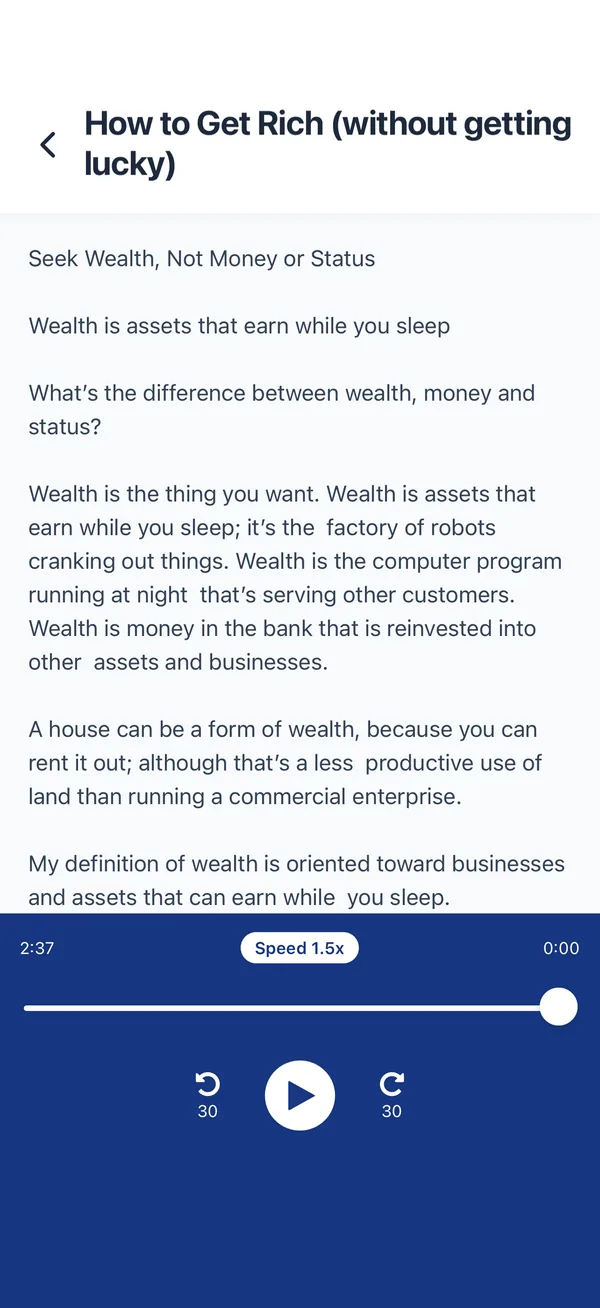
Text-to-speech can provide alternate access to written material by speaking documents, articles, web pages and books. Some readers prefer audio-only, some read along, and others do not find synthetic speech helpful. It is an assistive option—not a dyslexia treatment, diagnostic tool, or replacement for structured reading instruction and individualized educational support.
A more flexible reading setup
Compare presentation options and keep only what helps the individual reader and task.
Compare read-along mode
Following text while hearing it helps some readers; compare it with text-only and audio-only on the same short passage.
Alternate access
Listening can reduce the amount of print decoding needed for a task while keeping the written source available for checking.
External pace
A voice provides a pace to follow. Adjust it or turn it off if it adds distraction or listening fatigue.
Add an audio proof pass
Hearing a draft can reveal some missing or repeated words; verify names, numbers, citations and formatting separately.
Listen to anything in three taps
No setup headaches — it works the same everywhere you read.
Send it to Frateca
Import a PDF, paste text, open a web page, or tap Share → Frateca from your browser, inbox or e-reader.
Hear it in a natural voice
Choose a clear voice and a comfortable speed. Frateca reads it aloud and can highlight along so you can read and listen together.
Compare the result
Try following along or listening only, pause to summarize, and slow down or stop if comprehension or comfort declines.
“I am someone who benefits from reading while also hearing the text read aloud, it helps me to better engage with the article or book. I am a teacher of students with a variety of barriers to learning and I have found that this type of app is helpful for students to access the same content as their peers.”
Questions, answered
Does text-to-speech help with dyslexia?
It can help some readers access text, but results vary by reader, material and presentation. It does not diagnose or treat dyslexia and should complement—not replace—appropriate reading instruction and individualized support.
Can I read along while it reads aloud?
Yes. Compare read-while-listening with text-only and audio-only on a short passage, then check comprehension and effort. Research does not show that one mode is best for every reader.
What voice and speed are best for dyslexia?
There is no universal best setting. Start at 1.0x with a voice the learner chooses, change one variable at a time, and slow down if comprehension or comfort declines.
Is it free?
Frateca has a free plan with natural AI voices and no credit card required. Premium adds unlimited listening and enhanced voices.
Try another way to access text
Compare audio, visible text, or both on a short passage and keep the setup that works for you.
Try Frateca free →