Text-based PDFs
Reports, essays, manuals, papers and exported documents containing selectable text.
Import a report, paper, handout or scanned PDF, choose a voice, and keep listening away from your desk. Your generated audio stays in your Frateca library.
Before · a document waiting to be read
After · the real Frateca player
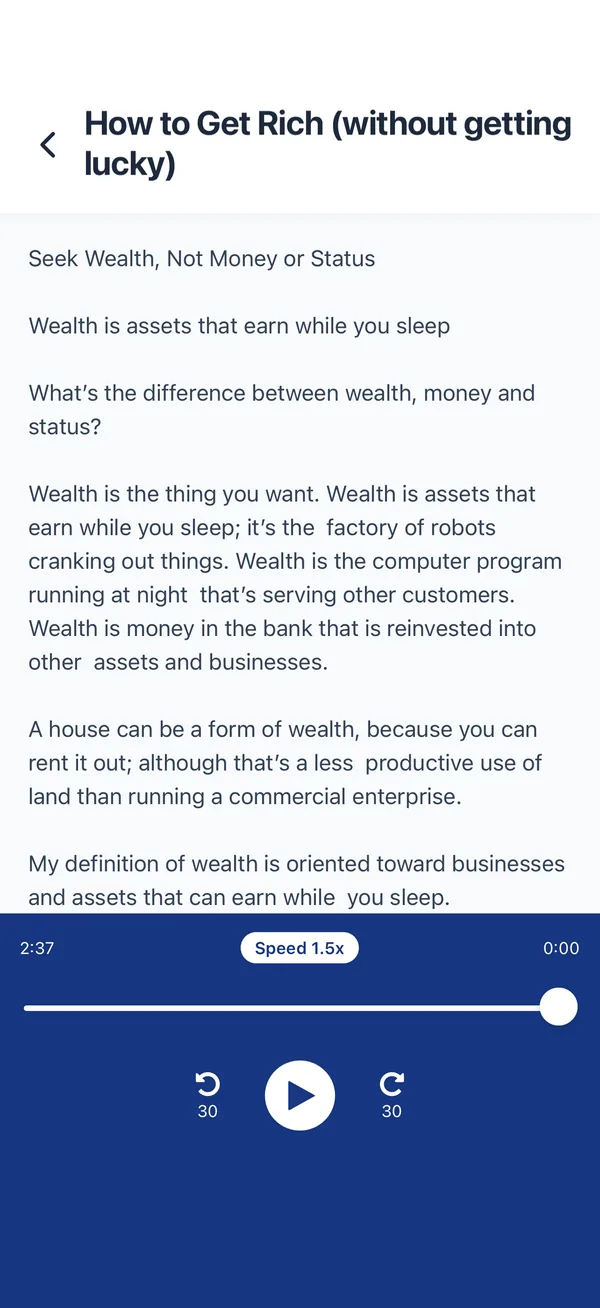
The passage is preloaded. Press Hear it, change the voice or replace it with up to 3,000 characters of your own text.
You've used your free previews
Create a free account to keep listening — turn entire PDFs, ebooks and articles into natural audio, unlimited, and synced across your phone and the web. No credit card needed.
Free demo · up to 3,000 characters per clip · The app reads whole PDFs, books and articles →
These are current Frateca interfaces, not concept art. The exact controls available can vary by platform and app version.
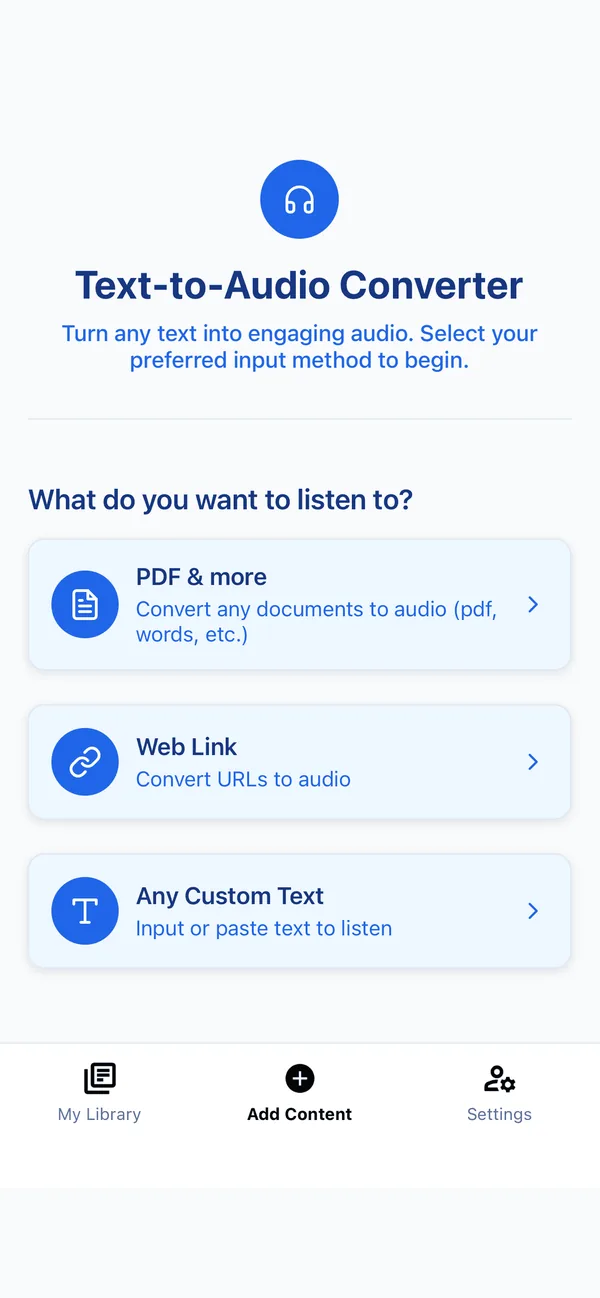
Reports, essays, manuals, papers and exported documents containing selectable text.
Image-based pages can be processed with OCR before Frateca creates the audio.
Listen while keeping the visible page available for tables, symbols, references and figures.
Add content on the web and continue from your library on a supported phone or tablet.
Text-to-speech reads extracted text; it does not reproduce every visual relationship in a PDF.
Choose PDF & more in Frateca, share the file from another app, or add it from the web app.
Confirm the title and first paragraphs are in the right order, particularly for scans and multi-column documents.
Set a comfortable speed, follow the visible text when useful, and continue from your library on another device.
“I’ve tried most of these types of apps and this one is the best. It’s great at reading technical docs. The voice is smooth, even at high rates, and the pronunciation is extremely good. Sounds like a person reading.”
Frateca’s free plan includes 20 minutes of generated audio every day. Premium is for readers who need unlimited listening and the enhanced voice catalogue.
The educational guide covers extraction checks, scanned files, difficult layouts, privacy and choosing between browser narration and a dedicated reader.
Frateca can apply OCR to supported scanned documents. OCR accuracy depends on image quality and layout, so check names, numbers, columns and safety-critical details against the page.
It may speak extracted text from a table or equation, but audio cannot preserve the full visual structure. For mathematical, tabular or diagram-heavy material, listen while keeping the page visible.
Creating new audio requires a connection. Once generation is complete, saved audio can be played from the Frateca library offline.
Frateca is primarily a private reading library. The live website demo can download its short generated clip, while complete documents are intended for playback inside Frateca.
20 free minutes every day · No credit card · iOS, Android & web
Listen to a PDF free →