Supported web links
Paste a public page URL when its article text can be extracted cleanly.
Send a supported web page or clean article text to Frateca, choose a natural voice, and work through your reading backlog while your hands are busy.
Before · another saved tab
After · the real Frateca player
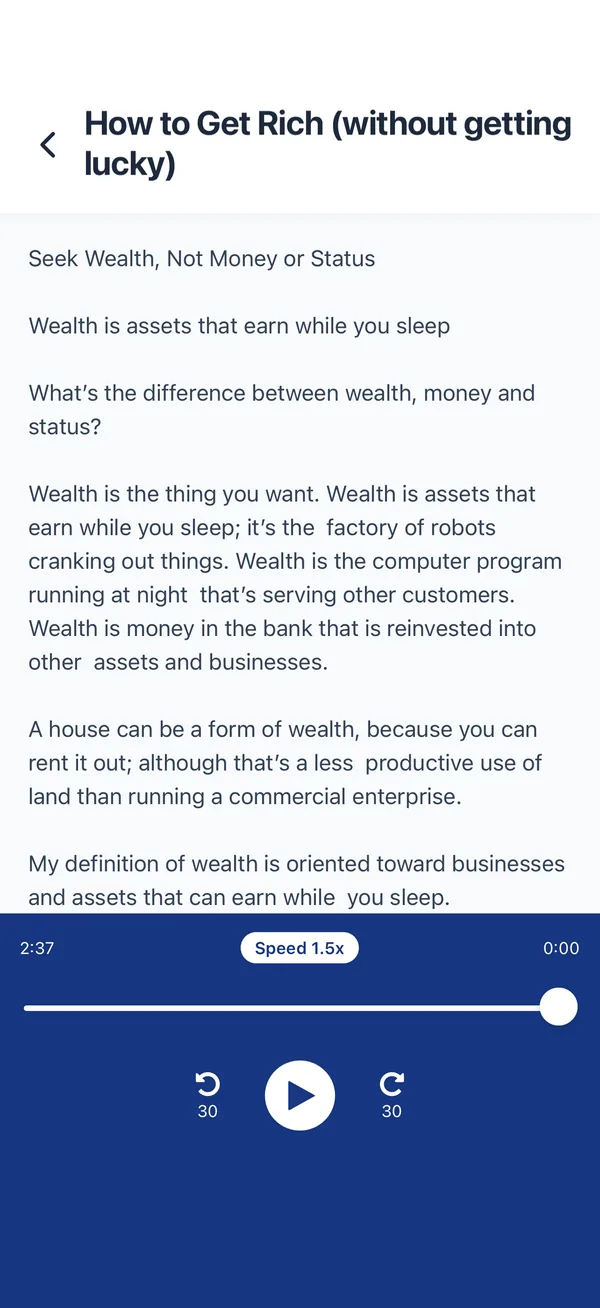
The sample is already loaded. Hear it in a real Frateca voice, then replace it with a paragraph from something you plan to read.
You've used your free previews
Create a free account to keep listening — turn entire PDFs, ebooks and articles into natural audio, unlimited, and synced across your phone and the web. No credit card needed.
Free demo · up to 3,000 characters per clip · The app reads whole PDFs, books and articles →
These are current Frateca interfaces, not concept art. The exact controls available can vary by platform and app version.
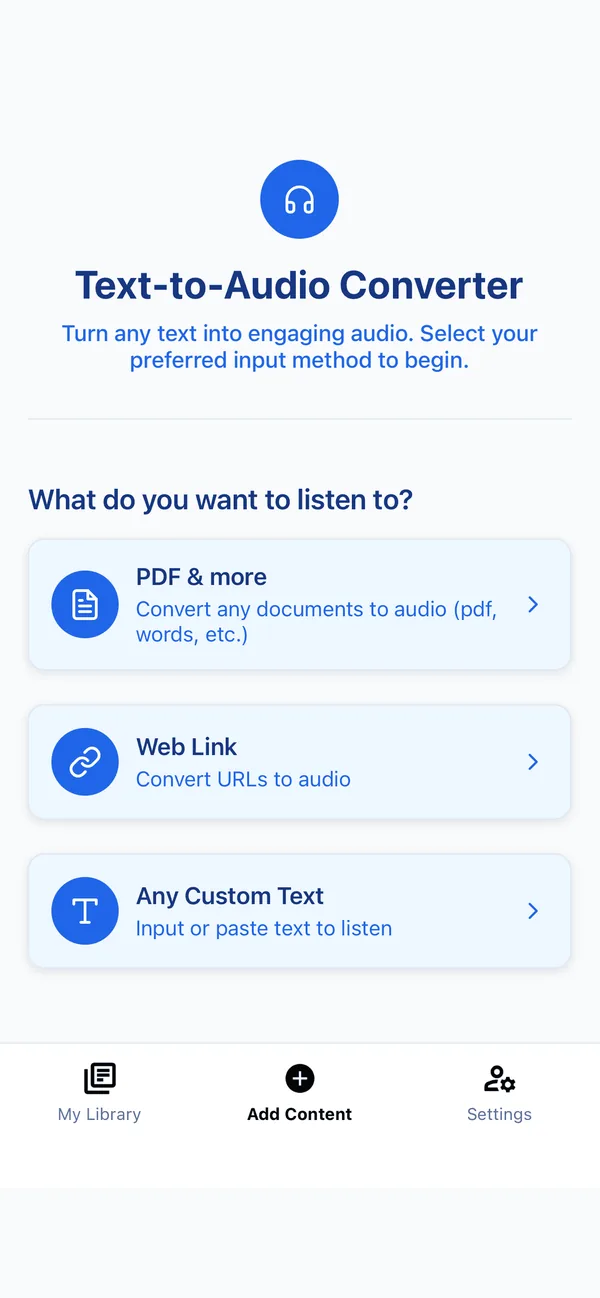
Paste a public page URL when its article text can be extracted cleanly.
On supported devices, use the operating-system share action to send a page into Frateca.
Paste the article body when a complex page includes menus, comments or subscription prompts.
Use the web version or paste the part you are entitled to access without exposing unrelated inbox content.
Article pages can contain information outside the main body that still changes the meaning.
Prefer the canonical article page or its clean web version over a feed preview or inbox list.
Choose the lightest intake method that preserves the headline and body without unrelated navigation.
Confirm the opening and ending, then add the item to a deliberately short queue for your next walk or commute.
“This app has saved me! Frateca has helped me to cut down time especially when driving/traveling. Instead of reading I can listen to my documents on my way. It’s a great app and I’m excited about the update!”
Twenty daily minutes is enough to test whether an audio queue genuinely helps your reading backlog before you move to unlimited listening.
The educational guide compares publisher audio, browser narration, dedicated readers and clean-text workflows for news and newsletters.
It can process supported pages and pasted text, but extraction quality depends on the page. Complex, authenticated or highly interactive pages may work better when you paste the clean article body.
You may process content you are entitled to access, subject to the publisher’s terms. Frateca should not be used to bypass access controls or redistribute a private audio conversion.
On supported devices, use the share action and choose Frateca. You can also paste a URL or text into the app or web experience.
Article extraction aims to focus on the main text, but every website is different. Check the beginning and ending before listening away from the screen.
Share from another app or paste a link · No credit card required
Listen to an article free →