

Best Text-to-Speech Voices: A Tested Listening Guide
Hear real TTS samples and use our tested scorecard to choose a clear, low-fatigue voice for books, documents, accents, languages and faster playback.
Listen to the test samples
Use headphones and keep the volume constant if you compare samples.
Key takeaways
- Modern neural AI voices sound close to human and are far less tiring than the robotic voices of a few years ago.
- For long listening, the most important qualities are naturalness, clarity, and a comfortable accent — not novelty.
- Match the voice and accent to the content and to your own ear; the right one fades into the background.
- Look for a range of voices, multiple accents and languages, and the ability to adjust speed.
A few years ago, “text-to-speech voice” meant a flat, robotic monotone you’d tolerate for a sentence and never for a chapter. That era is over. Neural AI voices now model the rhythm, emphasis, and intonation of real speech closely enough that you can listen for an hour without your brain fighting the delivery. That single jump in quality is what turned text-to-speech from an accessibility tool into something people use to get through their whole reading list.
So what actually makes a voice good — and how do you pick the right one? Here’s a practical guide.
What makes a text-to-speech voice good
Not every “natural” voice is good for every purpose. For long-form listening — the kind you do with PDFs, books, and articles — these are the qualities that matter, roughly in order:
1. Naturalness (prosody)
The biggest differentiator is prosody: the way a voice rises and falls, where it puts emphasis, and how it pauses at commas and full stops. Older systems read every word with the same weight, which is exhausting because your brain has to supply the missing structure. Neural voices get the music of the sentence right, so meaning comes through effortlessly.
2. Clarity
A great voice is crisp at the consonants and clean through the vowels, so you catch every word — especially important when you speed it up. Mumbly or over-processed voices break down the moment you go past 1.5×.
3. A comfortable accent
The “best” accent is the one your ear finds easiest. A familiar accent lowers processing effort, which is why having a choice matters more than any single voice being objectively superior. A British listener and an American listener will often pick different defaults — and both are right.
4. Stamina (low fatigue)
Some voices are pleasant for a minute and grating over an hour. The real test isn’t the first sentence; it’s whether the voice disappears — fades into the background so you’re aware of the content, not the narrator. That’s the mark of a voice built for real listening.
Robotic vs neural: why it sounds so much better now
It helps to understand what changed under the hood:
- Old (concatenative) voices stitched together tiny snippets of recorded speech. The joins are why they sound choppy and unnatural.
- Modern neural voices generate the waveform from a model trained on human speech, predicting natural intonation on the fly. Nothing is stitched; it’s synthesised whole, which is why it flows.
The practical upshot: a neural voice can read a long, comma-heavy academic sentence and land the emphasis in the right place, where an old voice would have flattened it into noise.
💡 Don’t judge a voice on one sentence. Paste in a full, messy paragraph — ideally something with a long sentence and some punctuation — and listen to whether it stays natural. That’s the realistic test.
How to choose the right voice for you
A quick framework:
- Decide the use. Studying a dense textbook rewards a clear, slightly slower, neutral voice. A novel can take a warmer, more expressive one.
- Test on real content. Try a candidate voice on an actual paragraph of what you’ll be listening to, not a demo line.
- Find your accent. Cycle through the accents on offer and notice which one you stop noticing. That’s the one.
- Set the speed. The right voice at the wrong speed still fails. Tune the pace until it’s effortless — then, if you want to go faster, build up gradually as we describe in reading faster by listening at 2×.
- Check premium options. Many apps reserve their most natural, expressive voices for premium tiers. For something you’ll use daily, the upgrade is usually worth it.
Languages and accents to look for
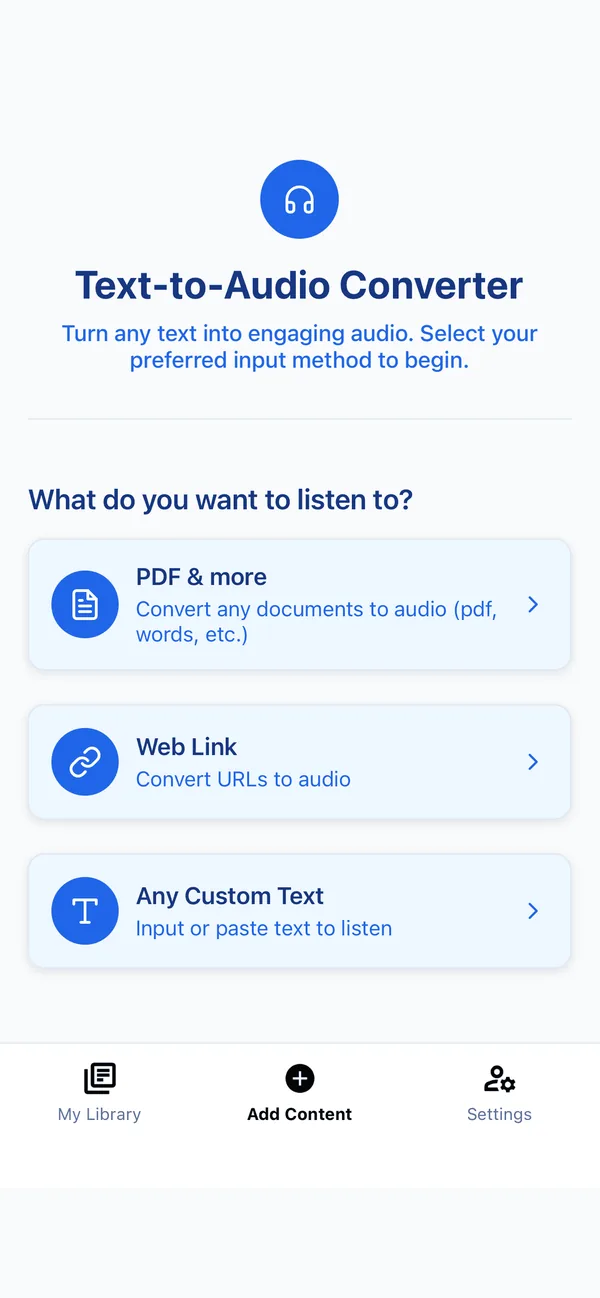
If you read in more than one language — or you’re learning one — voice range matters. A strong app offers several languages and multiple accents per language. Frateca, for example, generates natural audio in English (US and UK), Spanish, French, Italian, Portuguese, Hindi, Japanese, and Mandarin Chinese, so you can listen to material in its original language with a voice that fits it.
This is also handy for language learners: hearing native-accent audio of text you’re reading is a powerful way to connect spelling to pronunciation.
Our repeatable voice scorecard
“Natural” is too vague to compare. We used five observable criteria and recommend that you do the same on your own text. Score each item from 1 (poor) to 5 (excellent), then weight the result for your use case.
| Criterion | What to listen for | Why it matters |
|---|---|---|
| Pronunciation | Names, abbreviations, numbers and technical terms are spoken correctly | One repeated error can make a long document unusable |
| Phrasing | Pauses follow clauses and punctuation instead of breaking thoughts apart | Good phrasing carries meaning without extra effort |
| Clarity at speed | Consonants and word boundaries remain distinct at 1.5× | A voice that works only at 1.0× limits faster listening |
| Expressiveness | Emphasis helps without turning ordinary prose into a performance | Fiction needs more range than a policy document |
| Fatigue | After ten minutes, you notice the ideas rather than the delivery | First-impression charm can become irritating over a chapter |
Use one messy paragraph for every candidate voice. Include a date, an acronym, a parenthetical phrase, quoted dialogue, and a long sentence. A polished vendor demo avoids exactly the cases that expose weak pronunciation and phrasing.
The test protocol
- Listen once at 1.0× without reading along and write a one-sentence summary.
- Listen again at 1.5× and mark every word you have to replay.
- Read along on the third pass and note pronunciation or pause errors.
- Repeat the passage three times. A voice that feels charming on pass one but tiring on pass three is a poor long-form choice.
- Run the same test on a second content type before choosing a default.
We used this protocol on the public samples above. We are publishing the method and files so the comparison can be checked rather than taken on trust. It is an in-house product evaluation, not a claim that one voice is universally best.
British, American, masculine or feminine: what the labels miss
Accent and perceived gender can shape first impressions, but neither predicts quality. In our test, the useful question was whether a voice handled the listener’s material clearly and remained comfortable at the intended speed.
- Familiar accents reduce avoidable processing. Start with the accent you hear most often, then compare one alternative on the same paragraph.
- Content origin can be a tiebreaker. A British voice may suit a UK report or novel; a US voice may make American place names and abbreviations more predictable. That is consistency, not superiority.
- Perceived gender is a preference, not a quality score. Compare specific voices. A well-tuned voice of either type beats a poorly tuned one.
- Language is not an accent setting. Use a voice designed for the actual language. Asking an English voice to pronounce Spanish or Japanese text is not a fair voice-quality test.
If two voices score equally, choose the one you stop noticing. That is a more useful result than trying to justify a preference with stereotypes.
Match the voice to the content
| Material | Prioritize | Usually avoid |
|---|---|---|
| Academic papers | Neutral phrasing, numbers, abbreviation handling | Dramatic emphasis and very fast pacing |
| Textbooks | Clarity, steady pace, easy rewind points | Voices that blur technical terms |
| Fiction | Dialogue separation, warmth, longer pauses | Flat delivery unless you prefer it |
| Proofreading | Precise articulation and a slower pace | Highly expressive voices that smooth over errors |
| News and articles | Low fatigue and good date/name handling | Novelty voices |
| Language study | A voice native to the target language and readable on-screen text | Treating TTS as a pronunciation authority for every proper noun |
For fiction, human narration still has an important edge: an actor can interpret characters, irony, subtext, and scene-level pacing. TTS is strongest when the priority is instant access to any text, consistent delivery, adjustable speed, and cost. That distinction is more honest than declaring synthetic speech “better” at every job.
Make any good voice sound more natural
Voice selection is only half the result. Input quality and playback settings can make the same model sound polished or awkward.
- Remove repeated headers, footers, page numbers, and raw URLs. They interrupt sentence flow.
- Keep punctuation meaningful. Commas, colons, paragraph breaks, and quotation marks provide timing cues. A wall of unpunctuated text forces bad phrasing.
- Expand ambiguous abbreviations when accuracy matters. “Dr.”, “St.”, units, and initialisms can have more than one reading.
- Use OCR cautiously. A recognition error becomes a pronunciation error. Check names, figures, and headings before generating long audio.
- Tune speed after choosing the voice. Start at 1.0×, then move in small steps. A voice with crisp word boundaries often remains clearer at speed than a more dramatic one.
These adjustments explain why two demos of the same underlying voice can sound different. The application is responsible for cleaning input, respecting structure, and giving the listener control—not just selecting a model.
Frateca product data used in this guide
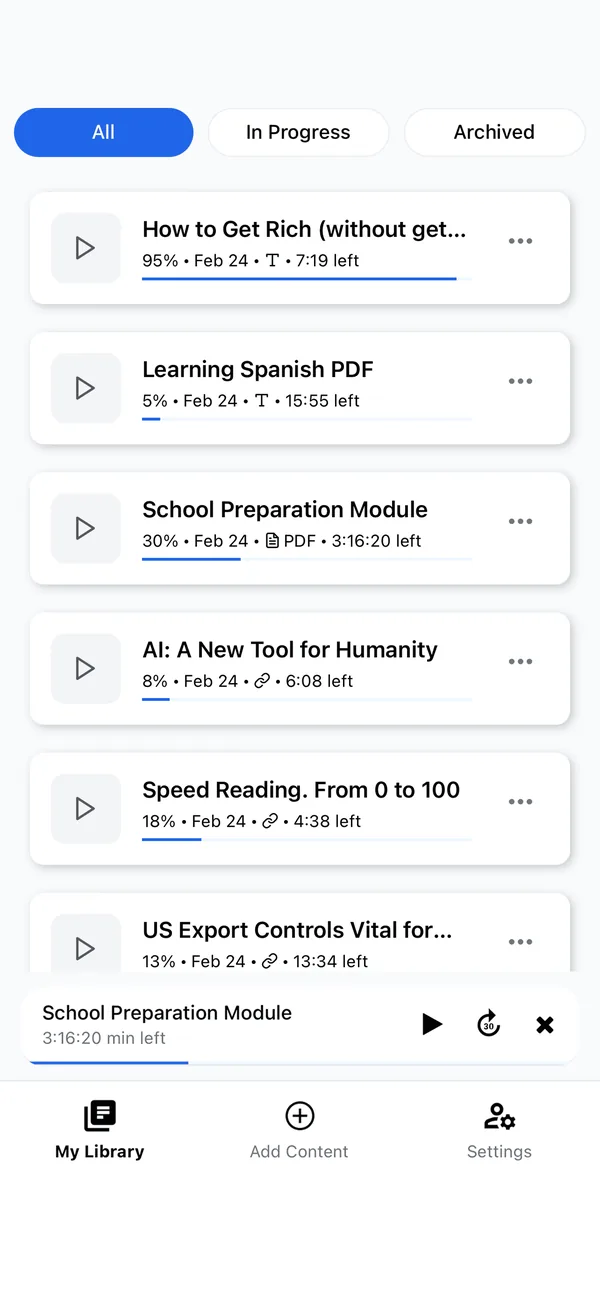
The current Frateca site advertises eight supported language options: US and UK English, Spanish, French, Italian, Portuguese, Hindi, Japanese, and Mandarin Chinese. The workflow accepts PDFs, ePub books, Word documents, web articles, pasted text, and camera scans, with playback on iOS, Android, and web. Pricing shown on the site at the test date was $0 for the daily free plan, $8.99 monthly, or $47 yearly for Premium.
Those are first-party product facts, not independent endorsements. They are included because a useful voice comparison needs to state the tested product, date, inputs, and limits. Pricing and availability can change; check the current pricing section before buying.
Voice quality matters more for some readers
For readers with dyslexia, low vision, or visual fatigue, voice quality isn’t a nicety — it’s the difference between a tool you’ll actually use and one you’ll abandon. A natural voice lowers the listening effort, which is the whole point of switching to audio in the first place. We cover this in detail in text-to-speech for dyslexia and our accessibility guide.
Pick the voice that disappears
The best text-to-speech voice isn’t the flashiest one. It’s the natural, clear voice in a comfortable accent that disappears while you listen, leaving only the content. Neural AI voices have made that genuinely achievable, which is why text-to-speech finally feels like listening to a person instead of a machine. Pick one that fades into the background, set a speed that feels effortless, and your reading list becomes something you look forward to rather than something you avoid. Want to hear the difference for yourself? Paste a paragraph into the live demo and cycle through a few voices, or jump straight to turning a PDF into audio.
Stop reading. Start listening.
Frateca turns PDFs, articles, textbooks and web pages into natural audio you can play anywhere — on your commute, at the gym, or while you cook. Free plan included, no card required.
Try Frateca free →iOS · Android · Web · Free plan, no credit card required